
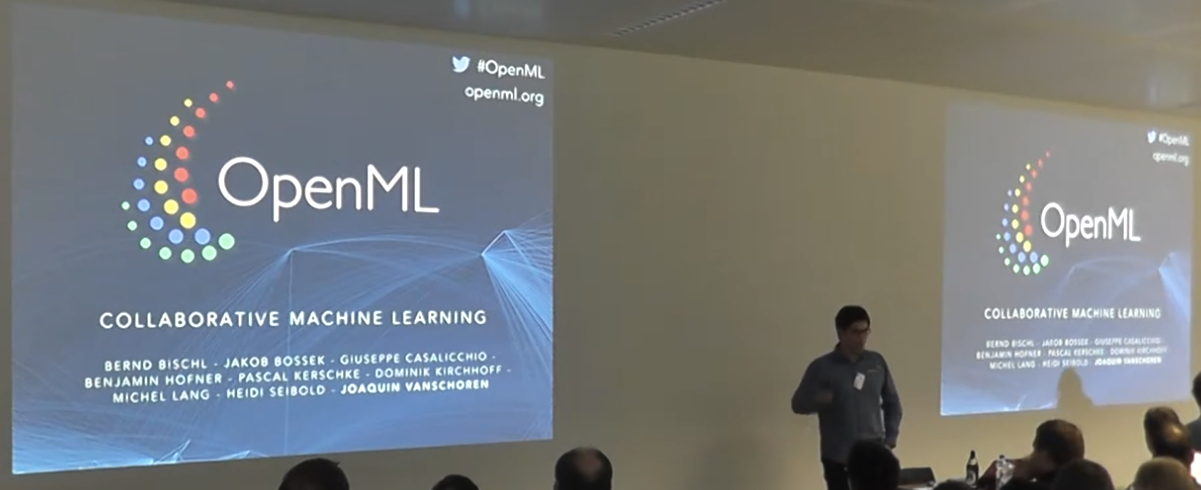
DaDaDa 2016 - Live Coding OpenML
OpenML enables collaborative machine learning research through standardized tasks, datasets, and results sharing. The live R demo shows downloading tasks, benchmarking algorithms (CART, random forests, bagging), and uploading results to enable meta-learning.
Abstract
This presentation introduces OpenML, an open-source collaborative machine learning platform designed to enable data scientists to share datasets, trained models, and experimental results at web scale. Through a live demonstration in R using the mlR package, the speaker illustrates how researchers can programmatically access standardized machine learning tasks, execute benchmark comparisons across multiple algorithms (including CART, random forests, and bagging), and contribute results back to a shared repository.
OpenML addresses fragmentation in machine learning research by standardizing the core elements of experimentation: datasets (stored as ARFF files with automatic metadata extraction), tasks (combining data with target variables, evaluation measures, and train-test splits), flows (algorithm descriptions and data science pipelines), and runs (execution results with performance metrics and timings). The platform provides programmatic interfaces through popular tools including R's mlR package, Python's scikit-learn, and Weka, enabling researchers to use familiar workflows while gaining automatic experiment tracking and reproducibility.
The demonstration shows how to filter tasks by properties, download datasets, execute multi-algorithm benchmarks, and visualize comparative results—all within approximately 20 lines of R code. Beyond facilitating reproducible research, OpenML's long-term vision involves meta-learning: using accumulated results from thousands of algorithm-dataset combinations to discover which methods work best under specific conditions and to derive data-driven defaults for hyperparameter selection, ultimately transforming machine learning practice from expert-driven folklore to empirically validated knowledge.
About the speaker
Giuseppe Casalicchio is a researcher and member of the OpenML team who specializes in collaborative machine learning infrastructure and R-based data science workflows. He works closely with the mlR (Machine Learning in R) project, with his supervisor being a contributor to that toolkit. For this presentation, Casalicchio prepared an extensive live coding demonstration and created a dedicated GitHub branch ("Data Geeks Data Day") to ensure reproducibility of the demo code for attendees.
Casalicchio demonstrates strong technical proficiency in R programming and the mlR ecosystem, as well as practical experience with benchmark studies and meta-learning approaches. His presentation style combines technical depth with accessibility, acknowledging varying levels of R experience in the audience while walking through complex workflows involving task filtering, algorithm comparison, and result visualization. Despite encountering some technical difficulties during the live demo, he maintains composure and effectively communicates OpenML's value proposition for reproducible, collaborative machine learning research. His involvement in the platform extends to participating in regular hackathons and contributing to the open-source development of OpenML's tools and infrastructure.
Transcript summary
A researcher presents OpenML, a collaborative machine learning platform where data scientists can share datasets, models, and results at web scale. Through a live coding demonstration in R using the mlR package, the speaker shows how to download tasks from OpenML, run benchmarks comparing classification algorithms (CART, random forests, bagging), and upload results back to the platform—enabling meta-learning from thousands of algorithm-dataset combinations to discover which methods work best under different conditions.
Opening and Context
"So before I start with the live coding, which is actually a live demo, I would like to first thank the organizers. I really enjoyed the talks today." Before starting, the speaker wants to introduce OpenML and explain a little bit what's behind it.
What Is OpenML?
OpenML is actually a machine learning platform where data scientists can share data and then fit models and share the results and other data scientists can also then build on top of these results. The founder is "this guy here" (shows image), and "I think it was 2010" when he asked himself: "What if we can analyze data collaboratively and at web scale and in real time?" Then he founded OpenML.
Live Demo Attempt
"This is the website or what it looks like. Actually I can, since this is a live coding..." (The speaker attempts to navigate to the website live but encounters some technical issues.) "Not as impressive as the digit recognition, but still, I spent several hours on this."
The Website and Four Key Elements
"This is the website, and as you can see, these are the four key elements in OpenML: datasets, tasks, flows, and runs, which I will explain in the next slide." You can use OpenML through the website completely without any programming skills and upload your dataset and look at the code from other people. "It's like, if you know Kaggle, it looks so similar, but it's for science, it's free."
Tools for Programmatic Access
"Here you can see below the tools which you can use to communicate with the server. You can use Python with scikit-learn, and you can use R with mlR." The speaker asks who was at the Google meetup—"Now you guys?" There was a talk on mlR at the Google meetup from the speaker's supervisor. "mlR is simply a machine learning toolkit for R, and we can use this to interact with the OpenML server to get data from the server and upload data to the server, and maybe also results from algorithms." These are the tools you can use, also Weka.
Element 1: Datasets
First of all, datasets. One of the key elements is of course data, and data is stored as an ARFF file, which is simply like something like a CSV file with additional information like data description, description of the variables. If you upload data to OpenML, the server automatically computes several descriptive information. For example, for categorical features, you will see bar charts. You will see box plots of the numerical features. Also, "here this is the target feature—you can see here that it's a binary feature, and the box plots with the proportion of the target variable."
Automatic Metadata Extraction
"Also, the server also computes properties of the data, for example the number of features, the number of instances, and so on."
Element 2: Tasks
Then tasks. "What are tasks? Basically, if you know Kaggle, a Kaggle competition is something like a task in OpenML." A Kaggle competition of course contains data. What else? It contains also the target value because if you know the target, you know if it's classification or regression, for example. Then you need another information like which evaluation measure to use—on Kaggle, it's the AUC, which will be shown on the leaderboard. This information is also stored in the task.
What a Task Represents
"A task is simply a scientific question that you want to solve with machine learning algorithms." And of course also the train-test split, because the evaluation measure needs the train and test set, and which method to use, so it is then computed.
Element 3: Runs
So each task has of course runs, because if you apply a learner on top of a task—like random forest to solve a classification task—you create a run. "You will see runs like on Kaggle in a leaderboard or like in this chart, in a timeline." On the x-axis you see the time, on the y-axis you see the area under the ROC curve, and how people who submitted the models improved over time. "This is something you also see sometimes in Kaggle competitions."
Element 4: Flows
Another element: mlR flows. Flows are basically an abstraction of your algorithm, like a description—what kind of hyperparameters does my algorithm have? But flows can also be more complex workflows, like data science pipelines where you can first impute the data, then do feature selection, and then apply a learner on top of it. As mentioned before, with mlR we can communicate with the server through several machine learning toolkits: in R with mlR, in Python with scikit-learn, Weka, and other tools.
Focus on R
"We will focus today, or later on, in the live demo on R."
Using OpenML Through R
This is how you can use OpenML through R. You first of all have to install the package and load it. "Currently we are not on CRAN, so you have to install it from GitHub." Then mlR, "which is simply a collection—it offers you a unified interface for several learners." The rpart function in R is for regression and classification trees. You can create a learner, you can download a task from OpenML ("we'll see this later on"), and then you can apply this learner to this task and create a run. "You can upload this run to the OpenML server, and then the server computes the evaluation measure for you." And you can look them up and watch your run and maybe look at the results from other people.
Example: After Uploading
"This is, for example, how it looks like after uploading a run. The server automatically computes several measures. Here I show only one of them—the area under the ROC curve."
Why Are We Doing This?
"One key—or maybe one long-term goal—is that we want to learn based on the data." What are we doing with OpenML? We have data, we have algorithms, and we can write, for example, a bot that automatically runs all available learners on all available data and creates results. After having these results, we can on top of this try to learn again how the results behave. "For example, maybe random forest works well for data with, I don't know, a hundred features, and then you can apply a learner on top of that to try to learn maybe some properties about which model you want to apply to the data."
Meta-Learning for Hyperparameter Defaults
You can also use this, for example—"I mean, in R, R knows that there are sometimes defaults for hyperparameters, and you can use also, for example, later on, tuning to ask the server for appropriate hyperparameters." For example, if you have data with, I don't know, 100 observations and 10 features, "you may ask 'okay, which algorithms work well on data with similar properties?' and then you can use similar hyperparameters as a starting point."
Join OpenML
"So you can always join OpenML. We are doing regular hackathons—this is what our hackathon looks like. We are on GitHub, and it's open source, of course. And this is our team."
Short Introduction Complete
"So this was first of all a short introduction to OpenML."
Live Demo: Who Uses R?
"Before I start with the demo, I can maybe ask: who is using R?" About half the audience raises hands. "Okay, quite a lot. So we will focus today on R."
Installing from GitHub
As mentioned before, "you can install the package from GitHub. You need the devtools package, and I created a branch—Data Geeks Data Day—so that you can always run this script here, which will be, I think, online." This is because "it can happen that we change several functions or the name of several functions, and to ensure that you can always run this code, I created a branch."
Configuration and Authentication
First, after having installed OpenML, you can load the package. "You need an account on OpenML to use the functionalities." You have to configure this. "I created here a read-only key, so you can use this read-only key for playing around with the OpenML server." Here the speaker sets the configuration.
Listing Available Tasks
"Then there's, for example, one function that lists all available tasks from the OpenML server." If you look at the homepage, you can also just click on tasks, and then "you will see, okay, we have a lot of tasks here, too." The speaker provides specifications on iris ("boring classification iris, maybe. Let's look at it. What you can see here...").
Iris Task Details
You can see that almost 2,500 runs have been created. "Here, for example, you can see the predictive accuracy." This is shown on iris. "So this is... you can always look it up. You see this has been created with Weka." (The speaker navigates through the interface showing details.) "In the new version you will see mlR.classif.naiveBayes and this will be unified." Then you can look at the leaderboards.
Filtering Tasks
"Sometimes we want to have this overview of all tasks. This was only one task for the iris data. So with this function listOMLTasks, you can specify some properties." For example: "Okay, I want to look up how many supervised classification tasks with 10-fold cross-validation, that have two classes, and between 8 and 12 features, between 501 and 999 instances, with zero missing values because we don't want to handle missing values now."
Results of Filtering
If you run this, "there are actually only six tasks." This includes some benchmark datasets, some UCI datasets. "This is how you can, for example, select some tasks which are already on OpenML."
Downloading Tasks
"Then you can use this task ID and use the getOMLTask function to download a dataset or tasks." This returns a list of six elements, "with each list element, we have the task which also contains the data, of course."
Using mlR for Learners
"So then we can use mlR. I won't go into much detail on mlR, but yeah, mlR offers you a unified interface for learners." If you load the mlR package, you can, for example, list "okay, let me see, maybe classification learners are included in mlR." The list shows "we have 50 algorithms, including XGBoost and some others."
Selecting Algorithms
"Based on this, you can select some or all of them and create a learner to make something like a short or small benchmark study." In this live coding session, the speaker will try to look at "classification trees (CART) and random forest, and I want to compare the results of these three algorithms." (The speaker mentions three: presumably CART, random forest, and bagging based on earlier context.)
Creating the Benchmark Grid
"So now we have a list with three learners and a list with six tasks. You can use the expand.grid function, for example, to create a grid—each learner-task combination—and then, for example, run it in a loop." This will take some time. "You can see each cross-validation iteration, the result." The first task is shown, the first learner is rpart (CART), "and apparently this achieves this accuracy here." Also, "you can see some time measurements for the training and for the predicting of the learner."
Prepared Results
The speaker shows some pre-prepared results: "After I have created these runs, you can first upload them here to the database, and you can also assign a tag to these runs." When you've uploaded the runs, "you can, of course, use, for example, this listOMLRunEvaluations function to retrieve all results based on the tag."
Retrieving Results
"This will give you a list with several measures that we achieved." You see the task ID, the flow ID, "which is simply the learner here—rpart, then bagging, then random forest—and of course, for example, you have created them... 18, I think, yeah, 18 runs," which then you can also visualize, for example, with ggplot.
Visualization of Results
"For example, here all the results look like: you have the six datasets and the three algorithms." The visualization shows "here this one is the best—rpart. The red one is random forest. Of course, it's not always the best one here." You can of course do this with several other datasets and try to answer several questions, for example: "Is random forest better than bagging? Is random forest better than rpart? Was it significantly better?" And answer several questions.
Conclusion
"So this is a short overview. Of course, we have several other possibilities and functionalities, but for this live coding, I just decided to show you [this subset]."
Key Insights and Contributions
This presentation demonstrates several important concepts for collaborative and reproducible machine learning research. First, OpenML addresses the fragmentation problem in ML research where everyone runs experiments on different datasets with different evaluation protocols, making results incomparable. By standardizing tasks (dataset + target + evaluation measure + train-test split), OpenML creates a common benchmark infrastructure enabling direct comparison across studies and over time.
Second, the platform enables meta-learning at unprecedented scale. By accumulating thousands of algorithm-dataset combinations with consistent evaluation, researchers can analyze which algorithms work well under which conditions—moving from "this algorithm is good" to "this algorithm is good for datasets with these properties." This mirrors AutoML's goals but provides the data foundation for learning algorithm selection and hyperparameter defaults.
Third, programmatic access through standard tools (mlR for R, scikit-learn for Python, Weka for Java) lowers barriers to participation. Researchers don't need to learn new interfaces—they use their familiar tools but gain automatic experiment tracking, reproducibility, and integration with the collective knowledge base. The unified interface mlR provides across 50+ algorithms makes running comprehensive benchmarks trivial compared to wrestling with inconsistent package APIs.
Fourth, automatic metadata extraction and visualization reduces manual work. Upload a dataset, and OpenML automatically computes descriptive statistics, generates visualizations (bar charts for categorical, box plots for numerical), and extracts properties (number of features, instances, missing values). This metadata enables the filtering shown in the demo—finding all two-class classification tasks with 8-12 features and 501-999 instances with complete data.
Fifth, the leaderboard and timeline visualizations provide transparency and history. Unlike Kaggle competitions that disappear after closing, OpenML tasks persist indefinitely, showing how performance evolved over time as new algorithms were submitted. This creates a permanent benchmark where submitting a new method automatically compares it to all historical baselines on that task.
Sixth, the tagging and retrieval system enables systematic experiment management. By tagging runs (e.g., "DataGeeksDataDay"), you can later retrieve all related experiments, compute aggregate statistics, and generate comparative visualizations—turning ad-hoc experimentation into organized research programs with queryable results.
Seventh, the hackathon and open-source model builds community. Regular hackathons where contributors extend the platform, open GitHub repositories, and active development team visible on the website create transparency and opportunities for contribution beyond just uploading results. The platform itself becomes a collaboration substrate, not just a result repository.
Finally, the meta-learning vision—using accumulated results to learn algorithm selection and hyperparameter defaults—represents a paradigm shift from expert-driven to data-driven ML practice. Instead of relying on folklore about which algorithms work where, we can ask the data: across thousands of tasks, which algorithms succeeded on datasets with properties similar to mine? This transforms hyperparameter tuning from random or grid search to informed search starting from empirically validated defaults.
The live demo format, despite technical hiccups, effectively communicates the interactive nature of the platform and the simplicity of the R workflow: install package, configure authentication, list/filter tasks, download data, run learners, upload results, retrieve and visualize. The entire cycle from task discovery to result visualization takes fewer than 20 lines of code—demonstrating that collaborative ML research need not be complicated or burdensome once infrastructure exists.